Mind if we count your visit?

With your OK, HeyCatch and PostHog use cookies to see how you use the site, and link it to your account if you sign in. Cookie Policy

Optional analytics

With your OK, our analytics providers HeyCatch and PostHog use cookies on our website and sign-in pages to see which pages you visit and where you came from, what you click, your browser and device, and your IP address (for rough location). If you then sign in, we link this to your account, along with a few milestones in the app, such as finishing setup, your first pantry item or recipe, and starting or ending a subscription. These analytics stay off on these pages unless you allow them. Vercel Analytics, Speed Insights and Sentry error reports run on every page and aren't part of this choice.

All crafts

Remix and "Ask Ellie to check" a recipe

Two buttons on a recipe hand it back to Ellie's wizard — one to spin up a variation, one to have her look it over.

Ellie at her workbench
1 min readUpdated July 5, 2026Text + Screenshots
Remix and "Ask Ellie to check" a recipe
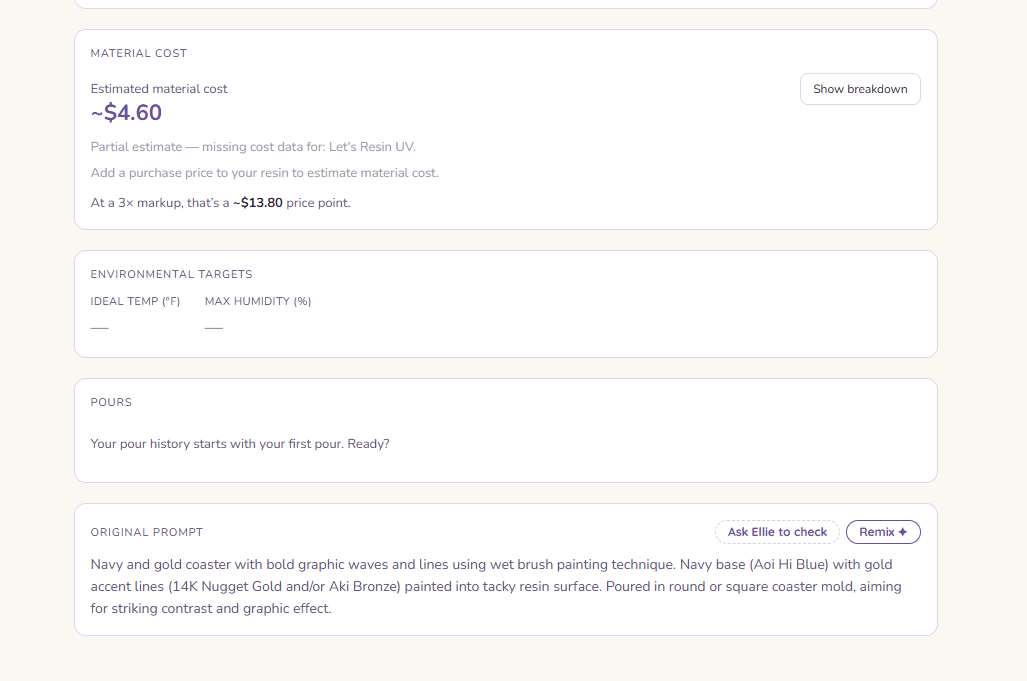
Screenshot. Remix and "Ask Ellie to check" a recipe

Once you have a recipe, two buttons let you bring Ellie back into it.


Remix

Remix hands the recipe to Ellie's wizard as a starting point, so you can spin up a variation — a different palette, a tweak to the approach — without starting from a blank page.


Ask Ellie to check

Ask Ellie to check sends the recipe to the wizard for a second opinion. Instead of building something new, she looks over what you've got and offers feedback.

Heads up: Both of these open the wizard, not the Ask-Ellie chat dock. They're for working on a recipe, not for a general chat.

Heads up: Ask Ellie to Check opens the wizard in Advisor mode.

— did this help?Was this article useful?