Get color inspiration from any photo
Hand Ellie a photo and she'll pull a palette out of it — colors, technique ideas, and notes for the bench.

Seen something with colors you love — a sunset, a tide pool, a scrap of fabric? Hand Ellie the photo and she'll pull a palette out of it, then suggest how you might recreate those colors in your work.
Heads up: On desktop, the Inspire item in the side rail opens your Inspiration Diary first — your saved sessions. Starting a fresh session is one tap from there.
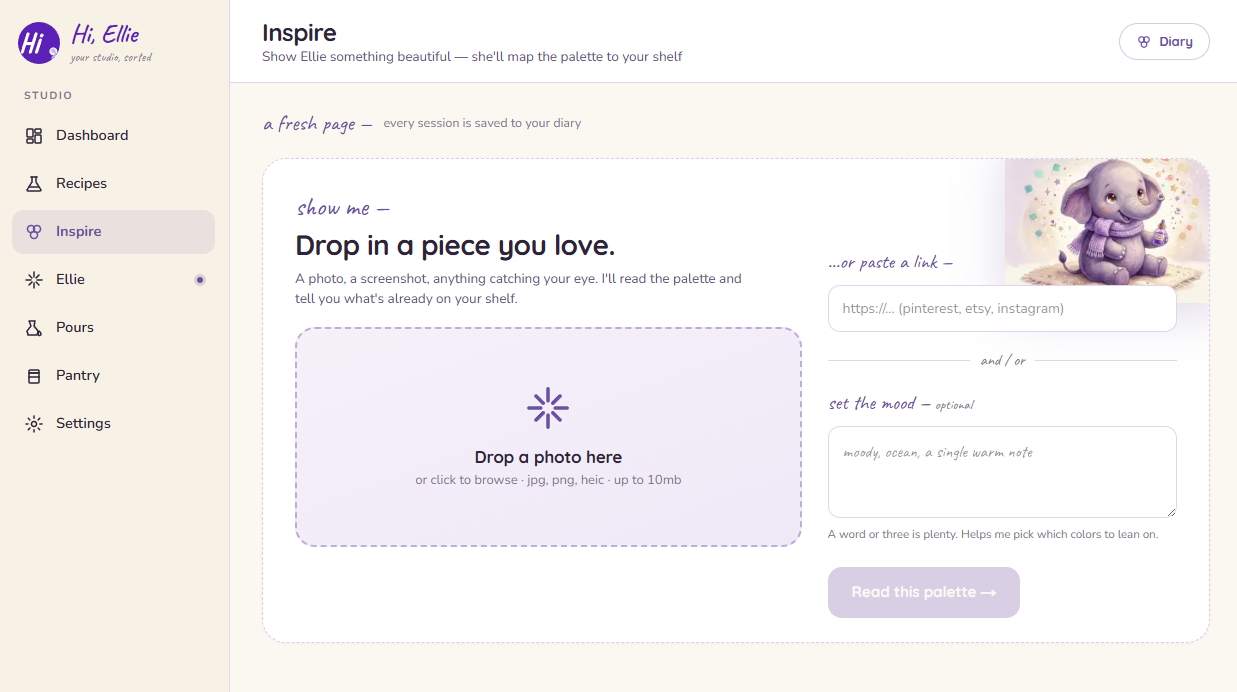
Give Ellie something to look at
Start a session with any of these:
- Upload a photo from your device.
- Use your camera to snap something in front of you.
- Paste a link to an image online.
Add a short mood note if you like — "warm and dusky," "bright and beachy" — to nudge how Ellie reads the colors. It's optional.
Run the analysis
Once Ellie has an image, she studies it and pulls together a palette. This takes a moment.
Read your results
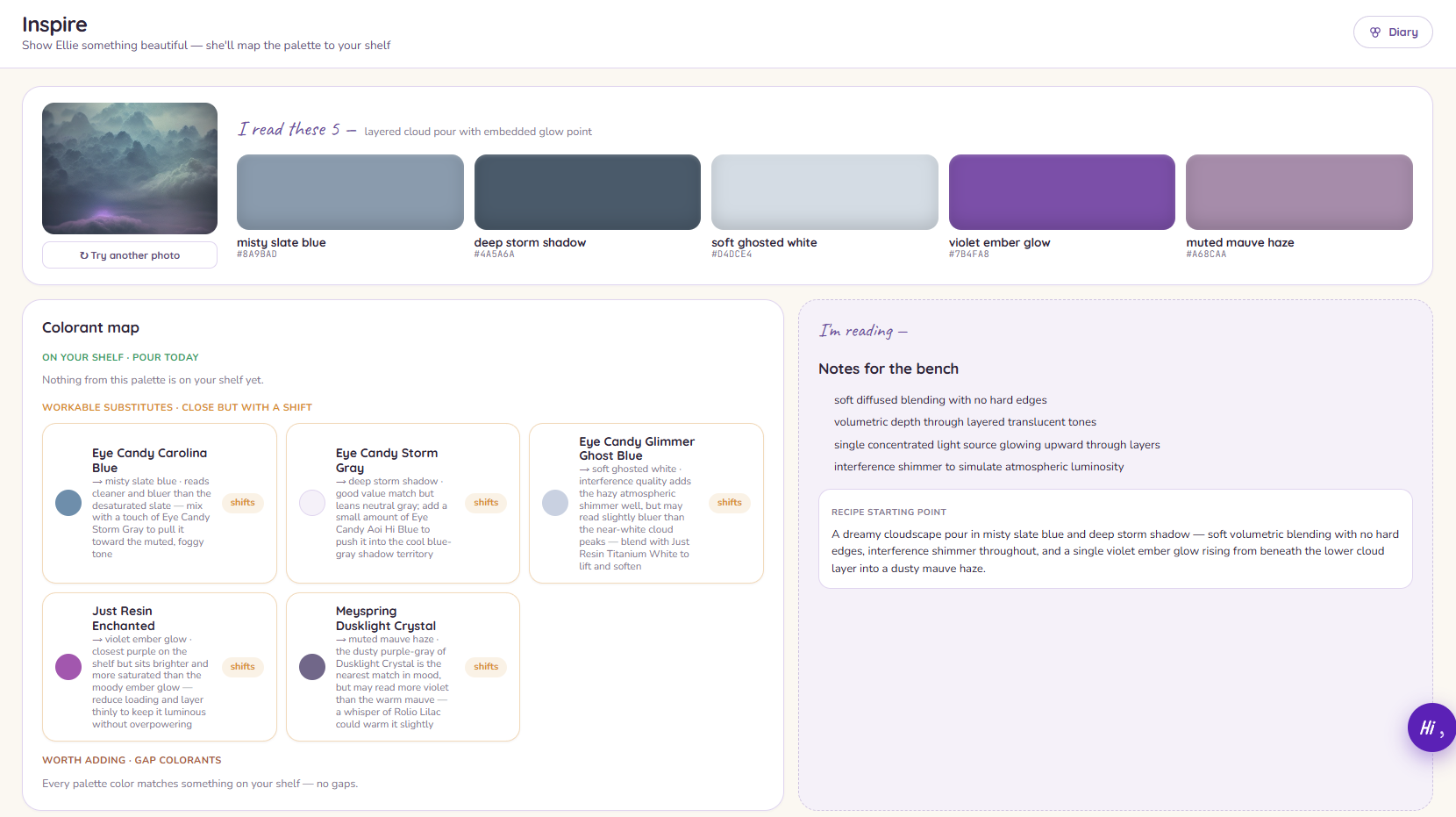
Ellie comes back with three things:
- A palette — the colors she found in your photo.
- Technique ideas — ways you might achieve those colors and effects.
- Bench notes — practical pointers to keep in mind while you work.
Every session is saved to your Inspiration Diary automatically — there's no Save button to remember. From there you can revisit it any time, or hand it to Ellie to turn into a recipe.