Your Inspiration Diary: browse, rename & delete
Every Inspire session is automatically saved to your Inspiration Diary. Here's how to find it, manage your saved sessions, and pick up where you left off.

Every time you run a photo through Inspire, the results are automatically saved to your Inspiration Diary. There's no Save button — it just happens. Think of the Diary as a creative sketchbook you can flip back through anytime.
Opening the Diary
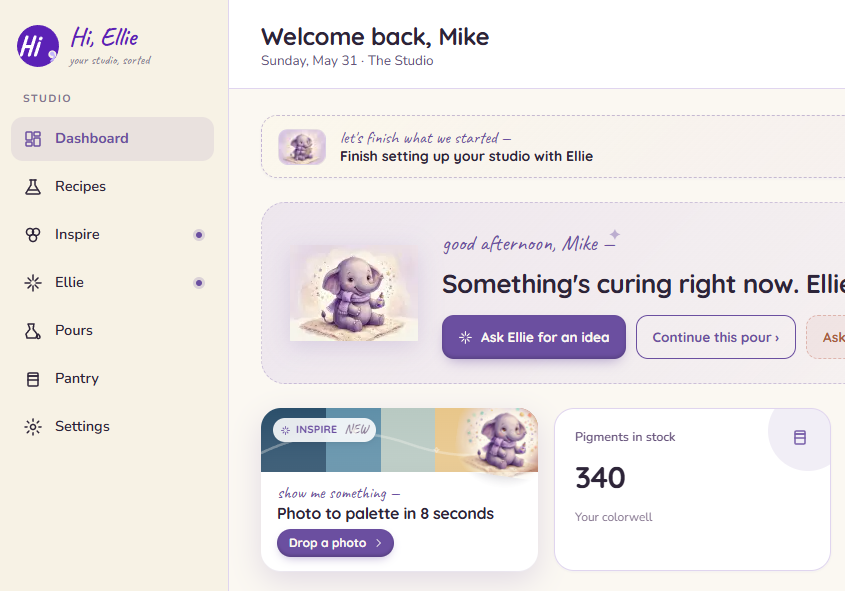
On desktop, the Inspire item in the left sidebar opens the Diary directly. From there, tap New Session to start a fresh Inspire run.
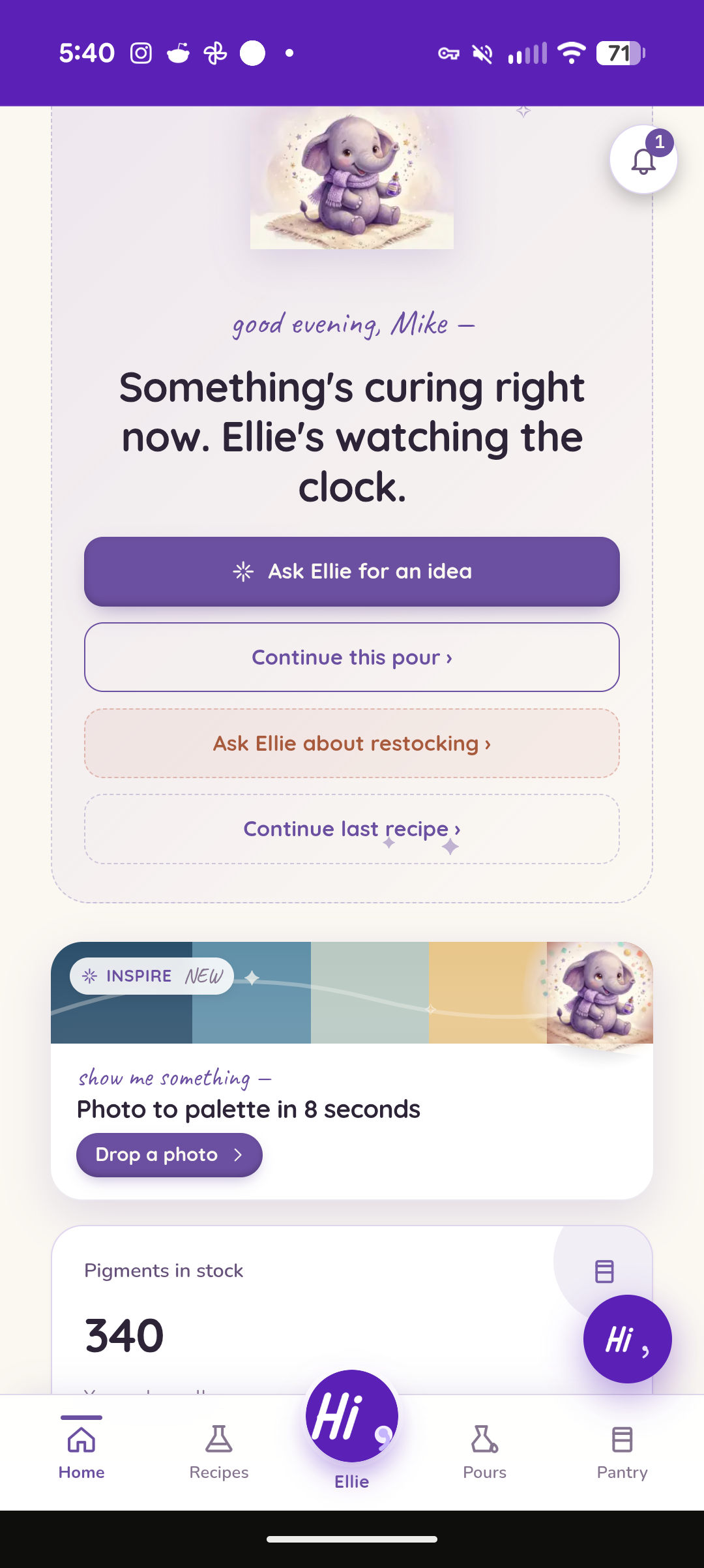
On mobile, use the Inspire card on the dashboard — it takes you straight to a new Inspire session. To get to the Diary, tap the Inspiration Diary button at the top of the Inspire page after you've run at least one session.
What you'll see
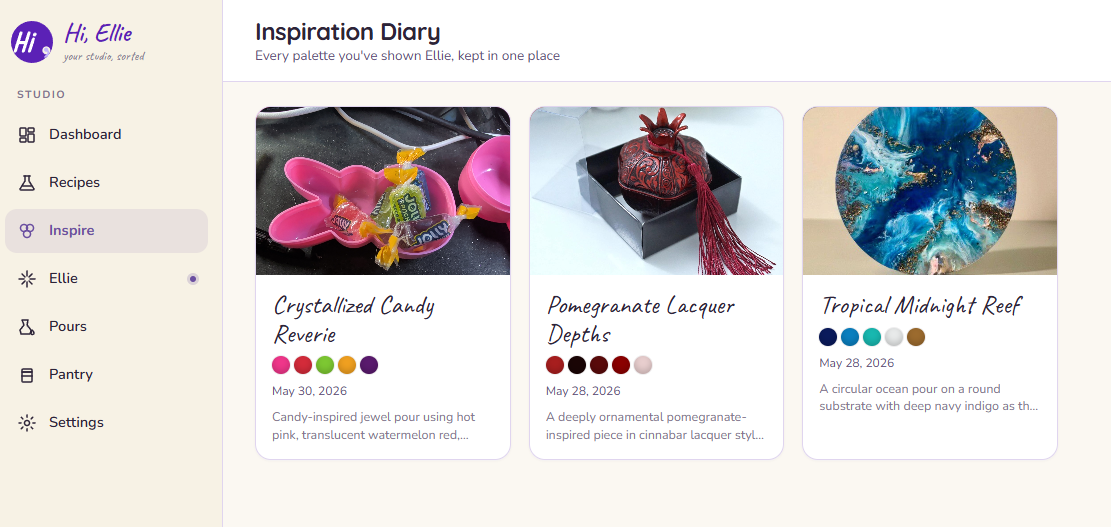
The Diary shows a grid of cards, one for each saved session. Each card includes:
The photo
The image you uploaded or linked.
A title
Ellie generates a short, evocative name like "Midnight Tide" after each session. You can edit it anytime.
Palette dots
The color swatches from your results.
The date
When the session was run.
The description
The reasoning behind what Ellie picked for the colors.
Tap a card to open the full results.
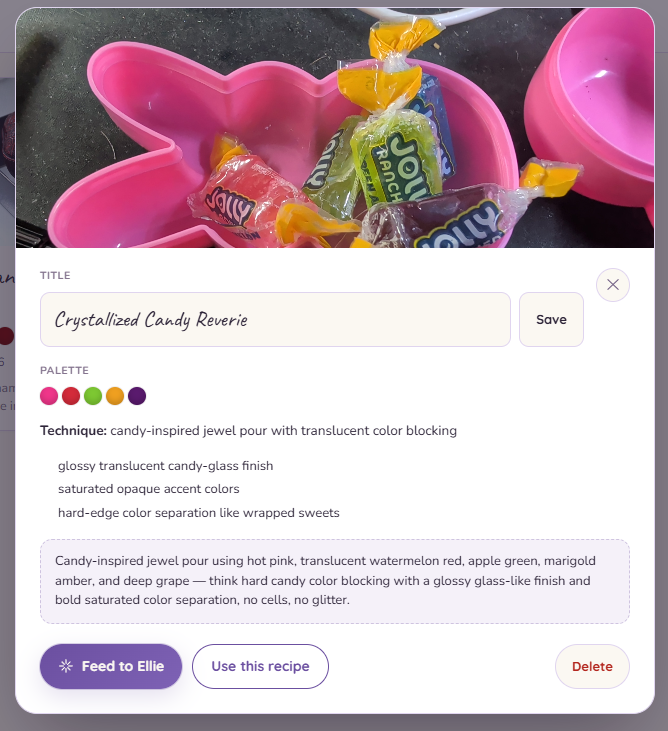
Renaming a session
Ellie's auto-generated titles are a good starting point, but you can rename any session.
Open a card and tap the title. It becomes an editable field — type your new name and click Save, or tap away to save.
Using a saved session
When you open a card, you'll see two action buttons:
- Feed to Ellie — opens the assistant dock with your palette and technique notes loaded as a prompt. Use this to turn an inspiration into a recipe.
- Use this recipe — if the session already produced a recipe suggestion, this takes you straight to it.
Deleting a session
Open a card and tap Delete. You'll be asked to confirm. Deletion is permanent — there's no undo.
Deleting a session doesn't refund your monthly Inspire quota. The session slot is used whether or not you keep the result.
Starting a new session
Tap New Session at the top of the Diary, or use the Inspire card on your dashboard.
Monthly limit
The free plan includes 3 Inspire sessions per month. The Diary stores everything you've saved — the limit only affects how many new sessions you can run each month. See Free plan limits & what upgrading unlocks for details.