
Bench Mode troubleshooting
— deep breath. Bench Mode not listening? Screen going dark? Ellie not responding? Here's how to fix the most common issues.
Ellie isn't responding to my voice
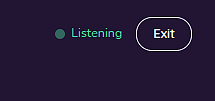
Check the mic indicator first. The pill button at the top of the Bench Mode screen shows the mic state. If it says "Mic off" or "Tap to re-engage", the mic has stopped listening — tap it to restart.
Make sure you're using the wake word correctly. Say "Ellie" and the command together as one phrase — "Ellie, next" not "Ellie... next." A pause between the wake word and the command may not register.
Check microphone permissions. If you dismissed the mic permission prompt when entering Bench Mode, the browser won't ask again automatically. To re-enable:
- Android Chrome: tap the lock icon in the address bar → Permissions → Microphone → Allow
- iOS Safari (PWA): Settings → Privacy & Security → Microphone → Hi Ellie → Allow

Try the manual buttons. If voice isn't cooperating, the Back, Repeat, Pause/Resume, and Next buttons always work. Bench Mode is fully functional without voice.
The screen keeps going dark mid-pour
Hi Ellie uses the Screen Wake Lock API to keep your display active during Bench Mode. If your screen is still locking:
On Android Chrome: Wake Lock is fully supported. If the screen is still locking, check that Battery Saver mode is not active — it can override wake lock requests.
On iOS: Wake Lock requires the app to be installed as a PWA (added to your Home Screen). If you're using Safari in the browser, the screen may still lock. Add Hi Ellie to your Home Screen for the best experience.
On older browsers: Wake Lock may not be supported. If your browser doesn't support it, the screen will behave normally — meaning it may lock based on your device's auto-lock setting. Adjust your screen timeout in device settings as a workaround.
The mic stopped listening after I backgrounded the app
This is expected behavior. When you switch away from Hi Ellie, the mic stops to protect your privacy and save battery. When you return, you'll see a "Mic off — tap to re-engage" message. Tap it to restart the mic.
Bench Mode does not auto-resume the mic when you return to the app.
Ellie is mishearing my commands
Voice recognition depends on your microphone quality, accent, and background noise. A few tips:
- Speak clearly and at a normal pace
- Reduce background noise if possible — a running dishwasher or loud music can interfere
- If "Ellie" is consistently mishearing your name (responding to "Ali" or "Emily"), that's expected — Hi Ellie recognizes common phonetic variants of the wake word
If a specific command isn't registering, try rephrasing: "Ellie, go back" and "Ellie, previous" both work, as does "Ellie, repeat" and "Ellie, say that again."
The connection dropped mid-session
If you see "Reconnecting…" in the mic indicator, Ellie is trying to restore the voice connection. She'll attempt 1–2 retries automatically. If reconnection fails:
- Exit Bench Mode using the pill button
- Re-enter Bench Mode from the pour session page
- The voice connection will restart fresh
Your pour session and step position are preserved — re-entering Bench Mode doesn't affect your progress.
Bench Mode isn't available on my pour session
Bench Mode requires your pour session to have recipe steps. If the pour session was created without a recipe (using freeform notes only), the Bench Mode button won't appear. Add steps to the underlying recipe and start a new pour session.
The step breakdown sounds wrong
Ellie breaks long steps into shorter spoken sub-steps when you enter Bench Mode. Occasionally a step may be broken differently than you'd expect. If a sub-step reads awkwardly:
- Use "Ellie, repeat" to hear it again
- Tap Next manually to advance at your own pace
- After the pour, edit the recipe step to make it more concise — shorter source steps produce cleaner sub-steps
Still having trouble?
If none of the above resolves your issue, contact us and describe what you're seeing. Include your device, browser, and what the mic indicator shows when the problem occurs.

Ellie can take a look at your session
Tell her what happened and she’ll pull up the details from your account.