Editing your profile and renaming your studio
How to update your display name, rename your studio, and see your account details.

Your profile holds your display name and account details. Your studio has its own name that appears throughout the app. Both are easy to update.
Your profile

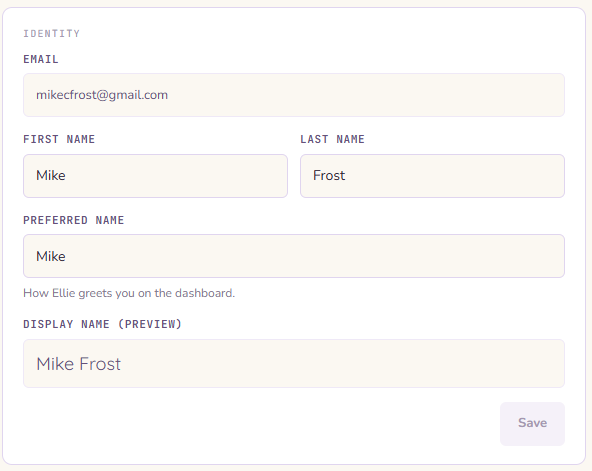
Open your profile by clicking on your name in the bottom left corner.
Display name — your first and last name as shown in the app. Tap either field to edit.
Email address — the email you used to sign up. This is read-only and cannot be changed from within the app. If you need to change your email, contact us.
Renaming your studio
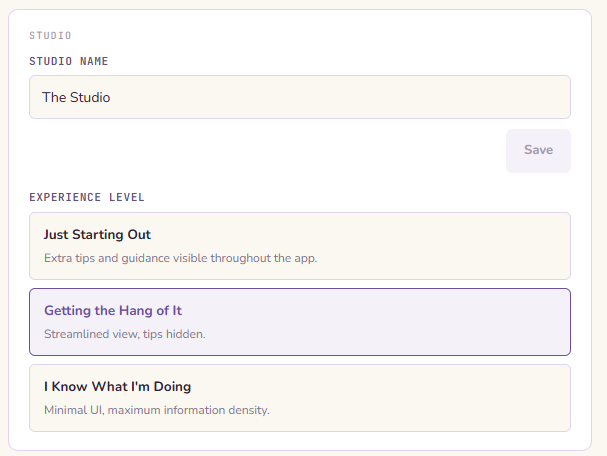
Your studio name appears in the header and in various places throughout the app. To rename it:
- Go to Studio
- Tap the studio name field and type the new name
- Save
Studio names have a 60-character limit. Renaming is owner-only — editors and viewers cannot rename the workspace.
Experience level
Your experience level (Just Starting Out, Getting the Hang of It, or I Know What I'm Doing) is also set here. It affects how Ellie communicates with you across the app — how much detail she explains, how she structures recipes, and which wizard mode is pre-selected.
You can change it anytime from your profile settings.
Temperature unit
In Settings you'll find an F / C toggle that sets whether temperatures show in Fahrenheit or Celsius — recipe and ambient temps, cure temperatures, and the numbers Ellie speaks and writes.
This setting is personal and per-workspace: each member picks their own, and your choice in one studio doesn't carry into another you belong to. New members start on the workspace's default and can switch anytime.
It only changes what you see — flipping between F and C never changes the stored values, just how they're displayed to you. So you and a teammate can read the same recipe in different units without changing anything underneath.