Your Bath & Body pantry: oils, lye, bases and more
The shelves a Bath & Body workspace unlocks, which fields do real work in the recipe math, and why the safety-critical ones are worth transcribing carefully.

Bath & Body adds six shelves of its own on top of the ones every studio shares, and unlocks a seventh. Keeping them accurate is what lets Ellie compute a lye weight instead of guessing one.
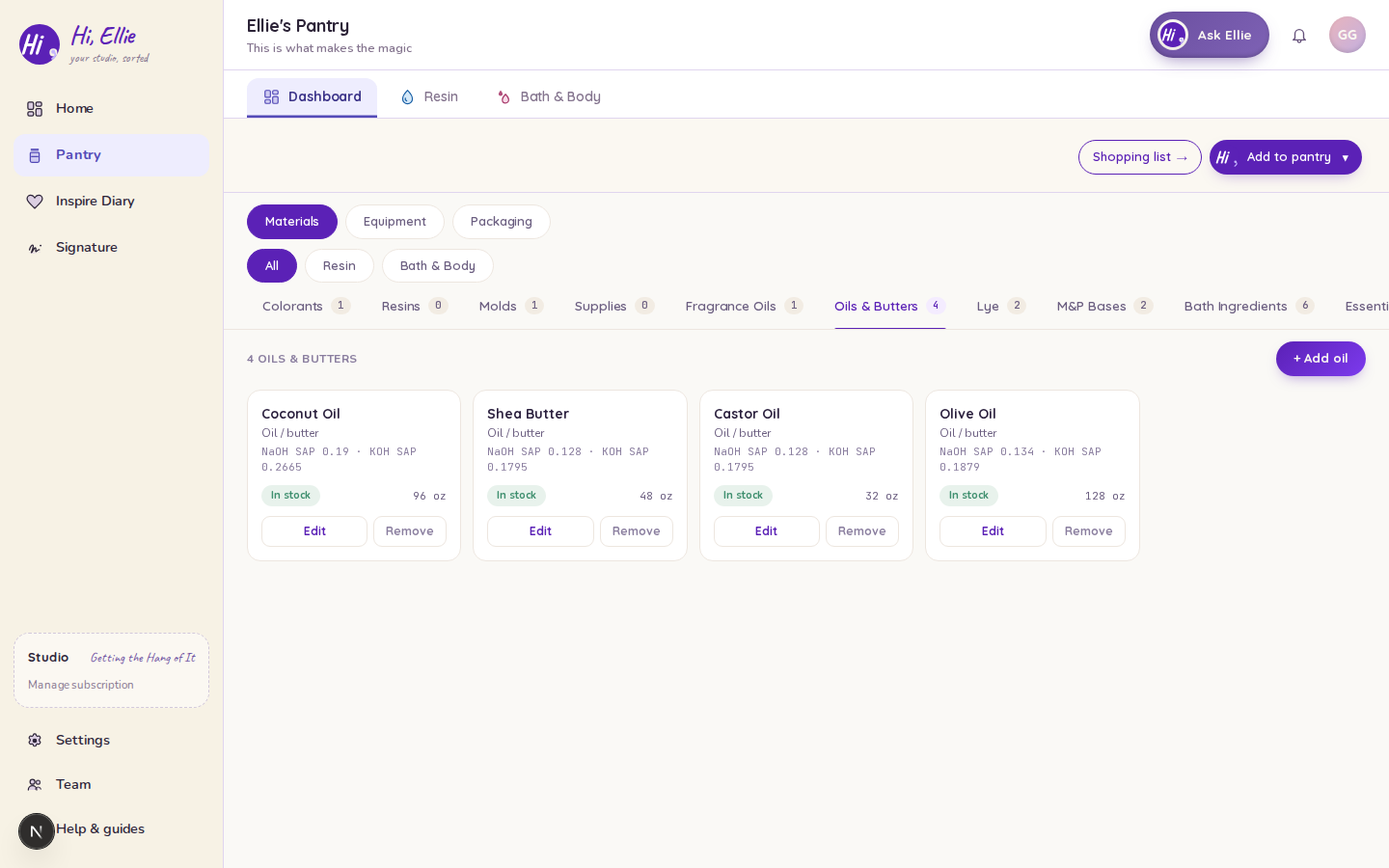
The shelves
| Shelf | What goes here |
|---|---|
| Oils & Butters | Your carrier oils and butters — olive, coconut, castor, shea. |
| Lye | Your sodium hydroxide (NaOH) and potassium hydroxide (KOH), with purity. |
| M&P Bases | Your melt-and-pour blocks, with regulatory class, blendability and INCI list. |
| Bath Ingredients | Clays, botanicals, exfoliants, salts, oats, coffee — and the oil-class add-ins a bath bomb or scrub binds. |
| Essential Oils | Pure botanical oils, with botanical name and INCI name. |
| Preservatives | For lotions and emulsified scrubs, with the effective rate and pH range the recipe calculator reads. |
| Fragrance Oils | Shared with Candle — a Bath & Body workspace sees this shelf too. |
Colorants, Resins, Molds and Supplies are the base four — they show for every craft, whatever your studio makes. The first six shelves above are Bath & Body's own and appear only when your studio has that craft. Fragrance Oils is the shared one: it shows for a Bath & Body studio or a candle studio.
The fields that do real work
Most pantry fields are for your own reference. These are not — the recipe math reads them directly.
Oils & Butters — the SAP values
Each oil card shows its NaOH SAP and KOH SAP: the grams of lye it takes to saponify a gram of that oil. They come from the app's oil catalog when your row is matched to a catalog oil, and they are the input to every lye weight Hi Ellie computes.
An unmatched row is a custom oil: it carries no catalog reference and therefore no SAP figure, so it lands on a recipe as a named line rather than as something the lye math can weigh. Match it to a catalog oil if you want it in a from-scratch blend.
Lye — purity
Lye is not sold pure, and the shortfall changes how much you weigh out. The purity field starts empty, and a row that records nothing is not treated as pure: the app assumes 98% for NaOH and 90% for KOH — commercial potassium hydroxide being typically the less pure — and labels the figure wherever a lye weight prints, naming the alkali’s own assumption: "assumed 98% lye purity — none recorded" on a NaOH recipe, "assumed 90% lye purity — none recorded" on a KOH one. Your supplier's own number beats the assumption; put it on the row.
Preservatives — effective rate and pH
effective_rate_min_pct / effective_rate_max_pct and ph_min / ph_max are the safety-critical ones. The lotion calculator computes the minimum preservative weight from your row's effective rate, and the recipe's target pH window is the overlap of your row's pH range with the leave-on band. Get these from the manufacturer's data sheet, not from memory — and if a value is outside a sane range, the bulk importer will reject the row rather than save it quietly.
M&P Bases — regulatory class and INCI
cosmetic or soap decides whether a printed label carries an ingredient statement at all, and the INCI list is what that statement is built from, copied word for word from your supplier. See Ingredient statements and compliance.
Adding items
Add to pantry and pick the type. You can also work in a spreadsheet — see Bulk import and export for Bath & Body data — or snap a label.
Keeping stock current
Mark items In stock, Low, Out or Needs order; low items flow onto your shopping list. When you complete a batch, the oils, lye, base, scent, colorant and add-ins you used are drawn down from these shelves. See Running a Bath & Body batch.
Tip: an empty shelf is a hard stop, not a nudge. A From-Scratch recipe with no oils, or a Melt & Pour with no base, gets a note and a link to that shelf instead of a recipe — Ellie will not invent an ingredient you don't have.